
Blank screen
Restart and clear cache.
Problem checks
When Daman Game is not working, identify whether the problem is login, verification, app loading, deposit, withdrawal or account security. Correct one reversible item at a time.
Interface check
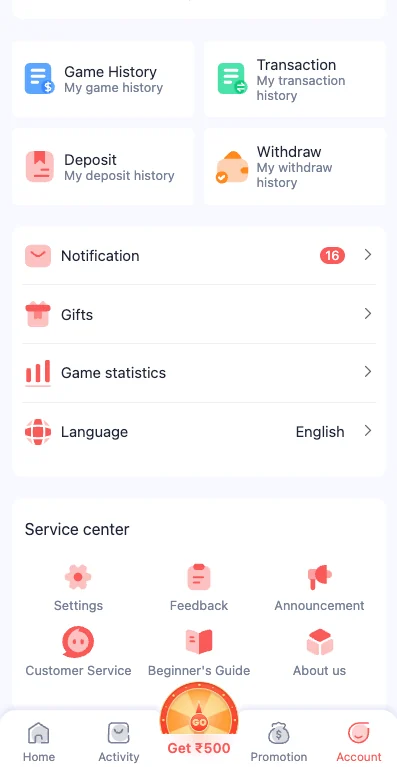
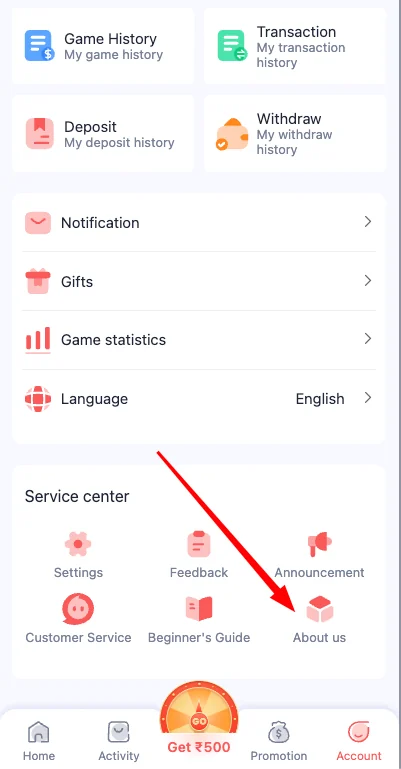
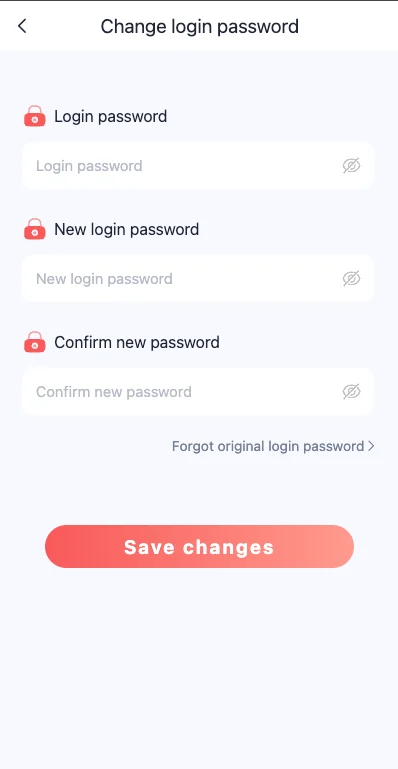
These supplied interface screenshots are placed beside the page that explains the same account action, so the instructions and visible controls stay connected.
01
Start with the registered mobile number and current password. Check the number prefix, caps lock and saved credentials before changing anything.
If the verified details still fail, use recovery. Do not create a duplicate account or share the verification code with another person.
02
Restart the device, confirm storage, clear cache and test one current app version. A duplicate package can create login loops or immediate crashes.
If the app still fails, use the available web access while keeping the same account credentials private.
Restart and clear cache.
Check storage and package conflict.
Remove old session data.
Wait and test one stable network.
03
A pending deposit or withdrawal needs a record, not another immediate attempt. Open transaction history and match the amount, time, method and reference.
If a payment detail changed unexpectedly, stop and preserve the visible information before contacting support.
04
Unexpected password changes, unknown payment details or unfamiliar sessions require immediate attention. Close the session, change the password and review account activity.
Do not install remote-control software or provide private codes to someone claiming to resolve the issue.
Change the password and review activity.
Stop wallet actions and verify details.
Decline and keep device control.
Pause and confirm the current account screen.
05
A single broken screen can indicate an app-session or feature problem, while every screen failing can indicate a wider availability issue. Test the homepage, login and one non-payment section before changing credentials.
Do not repeatedly reset the password during a temporary service interruption. Wait, record the error and test again using one stable access method.
06
Confirm the registered number, prefix, signal and message filtering. Request one code and wait. Multiple rapid requests can make it unclear which code is valid.
Enter the code only on the expected screen. Do not share it with someone offering account or payment help.
Confirm every digit and the prefix.
Move to a stable network area.
Review blocked or spam messages.
Keep the code private.
07
When the password changes unexpectedly or an unfamiliar session appears, stop wallet and game actions. Use recovery from a trusted device, create a new unique password and review the account menu.
Check linked payment details and recent transactions. Preserve evidence of unfamiliar changes without exposing private credentials.
08
A slow or crashing app can be caused by low storage, stale cache, network instability or a conflicting version. Restart first, then clear cache, check free space and test one current version.
Avoid installing multiple packages during troubleshooting. Keep the existing account credentials and use Daman Game Login after the app opens.
Free space before reinstalling.
Clear temporary data, not account records.
Keep one current package.
Test one stable connection.
09
Write down the exact action, time, device, visible message and last successful step. For a wallet issue, add the amount, method, reference and transaction status.
A complete, focused record is more useful than many unrelated screenshots. Redact mobile, bank and identity details when they are not needed.
10
Stop when the destination changes unexpectedly, a payment recipient is unfamiliar, an app asks for unrelated permissions, or someone requests remote control, OTP or password details.
Protect the account first. Close the session, preserve the evidence and use only the support control connected to the current account.
Close it and reopen the known address.
Do not send money.
Decline and remove the software if installed.
Never share OTP or password.
11
Change only one variable between tests: network, app cache, app version, password or device. Changing several items at once can hide the cause and create new login or installation problems.
Record what was changed and the result. When a step does not help, return to the previous stable state before trying the next one.
12
Incorrect device time can affect verification and secure connections. Low storage can stop downloads and updates. Security settings can block an installation or warn about a suspicious package.
Correct the device basics before assuming the account has failed. Keep protective scanning enabled and do not disable broad security controls for convenience.
13
After the problem is fixed, confirm the registered number, account identifier, password status, linked payment details, balance and recent activity. Remove temporary screenshots or downloaded packages that are no longer needed.
A final review ensures that troubleshooting did not open the wrong account, leave duplicate app versions or expose private information.
14
After troubleshooting, remove temporary installation files, duplicate app versions, outdated saved passwords and unnecessary screenshots. Confirm that one current access method works and that the expected account opens with the correct mobile number and balance.
Review security and wallet areas one final time. If an unfamiliar session, payment destination or transaction remains, do not resume game or wallet activity until it is understood. A clean end state is more important than simply making one screen open again.
15
When the same problem remains after a controlled retry, prepare one concise support message. State the affected action, account identifier, device, time, visible error and the last step that worked. For wallet issues, include the amount, method, reference and current status.
Do not send many repeated messages with different details. One consistent record is easier to review and reduces the chance of exposing private information. Keep the original evidence until the issue is closed.
Questions
Use the answer that matches the current account state and keep a clear record of any change.
Check the registered number, current password, connection and visible destination. Use recovery instead of repeated guesses.
An old cache, weak connection, low storage or conflicting version can cause loading problems.
Check signal, number prefix and message filtering, then wait before requesting another code.
The payment can be processing or unmatched. Keep the reference and check transaction history before paying again.
Review the linked account, amount, visible conditions and request status.
Send the account identifier, relevant time, amount, reference and status screenshot. Do not send the password or OTP.
Check whether the problem affects login, verification, app loading or one wallet action, then change only one reversible item at a time and record what happens.
Not immediately. First check the registered number, current password, connection and account destination. Reinstall only when the issue points to the app package, cache or loading state.