
Round identifier
Match the identifier and timer to the same active round before reading a result or account record.
See game-area answers →Games and results
Daman Game can show several game categories. This section explains how to read rules, timing, colour and number options, history and settlement records without treating past results as a promise.
Direct game-area answer
Open the rule screen connected to the selected game area and confirm the round duration, identifier, closing time, amount choices and current result mapping before any entry. Result history can verify previous settlements, but it cannot guarantee or predict the next outcome.
Match the identifier and timer to the same active round before reading a result or account record.
See game-area answers →Use only the current rule screen for the selected area because mappings and conditions can differ between game types.
Read rule answers →Use history as a settlement record, not as a promise of the next result, and keep personal time and spending limits.
Read responsible-play guidance →Interface check
These supplied interface screenshots are placed beside the page that explains the same account action, so the instructions and visible controls stay connected.
01
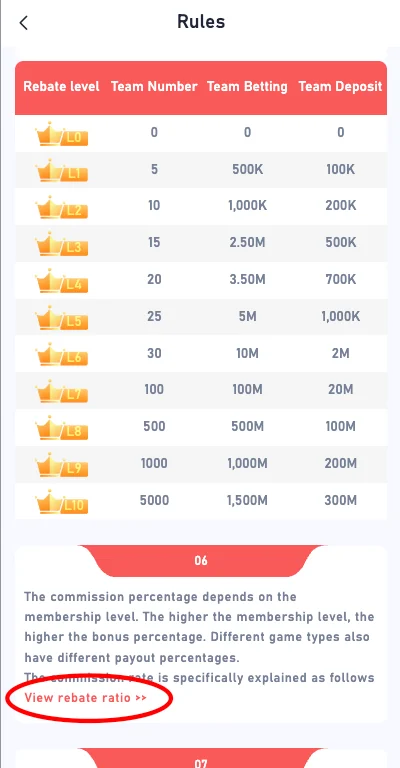
The supplied interface includes a dedicated rules screen. Open the rules connected to the selected game and check the amount levels, timing and result mapping before entering a round.
Rules from another platform, an old screenshot or a forwarded message are not a reliable substitute for the current screen.
02
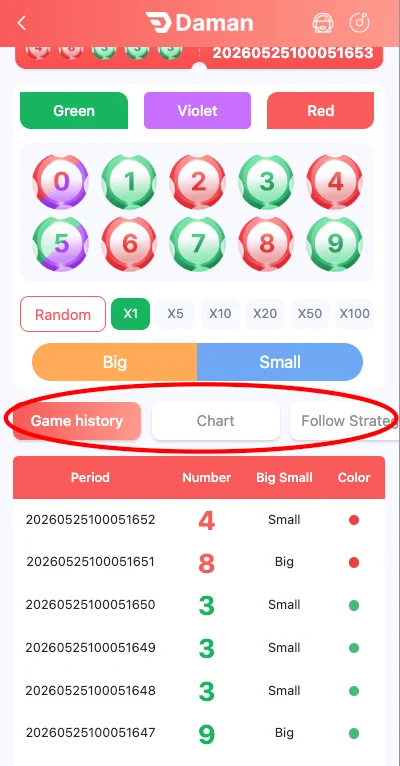
Colour and number options can be grouped into green, red, violet, big, small or individual numbers. The exact mapping shown for the active round is what matters.
Avoid entering opposite or conflicting selections when the current rules prohibit them. Use the on-screen history to confirm settlement after the round ends.
Use the mapping shown for the selected game.
Check the number range attached to each option.
Confirm the amount and selected number before entry.
Do not confuse one-minute and longer rounds.
03
The result and history screen records the round identifier, result and status. This can help confirm whether an entry was settled correctly.
History should not be used as proof that a future outcome is certain. A streak or pattern can end at any time.
04
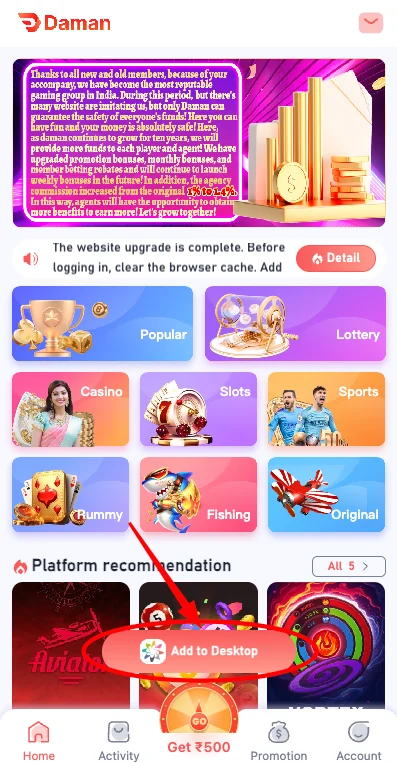
The lobby can also display card, slot and casual categories. Each can use different controls, timing and wallet behavior.
Open the instructions connected to that game, start only within a personal limit and stop when the limit is reached.
Read the hand and settlement rules.
Review paylines and entry amount.
Check controls before using balance.
Read conditions before relying on a reward.
05
Different categories can share similar colours and buttons while using different settlement rules. Read the heading, timer and rule section attached to the current game. Do not carry assumptions from Wingo-style rounds into card, slot or casual areas.
Use a small controlled amount only after the rule set is understood. A visually simple screen can still include timing, limit and result conditions.
06
When a round shows big, small, colours and individual numbers, each choice should be checked against the active mapping. A result can interact with more than one category, but the current rule screen determines settlement.
Avoid opposite selections if the rules prohibit them. Review the final confirmation before the round closes.
Confirm the range attached to each label.
Use the displayed number-to-colour mapping.
Check the selected digit and amount.
Review the final choice before closing time.
07
A countdown indicates the remaining entry time, not a reason to skip the rules or increase the amount. If there is not enough time to review the choice, wait for the next round.
Confirm that the round identifier changes as expected. A result from the previous round should not be matched to the next entry.
08
After settlement, compare the history record with the original entry: game name, round identifier, selected option, amount, result and status. This sequence is more reliable than relying only on the total balance.
If something does not match, capture the relevant record before opening another round. Keep unrelated private details out of the screenshot.
Game, round, option and amount.
Published outcome and settlement.
Amount added or deducted.
Relevant screenshot with private details redacted.
09
A promotional card or banner can describe an activity without explaining the game’s result mapping. Use the game rules for play conditions and the promotion section for eligibility, timing and reward conditions.
Do not assume a promotion changes the probability of a result or guarantees a return.
10
Switching from one game category to another does not reset the time or money already used. Keep one combined limit for the entire session and stop when it is reached.
If a loss creates pressure to increase the amount or continue longer, close the account session and take a break. No category guarantees recovery.
Count all categories together.
Include browsing and play time.
Do not increase amounts to recover.
Stop when decisions feel rushed or emotional.
11
Before an entry, confirm the game name, round identifier, timer, selected option and amount. This review is useful even when the interface looks familiar because a wrong round or amount can be difficult to correct after closing time.
If the timer is nearly finished, wait for the next round. A missed round is safer than a rushed entry that does not match the intended choice.
12
Game history explains entries and results, while transaction history explains balance movement. Both can be needed when a settlement is questioned, but they answer different parts of the issue.
Match the round record first, then check the balance effect. A total balance alone cannot show which specific entry created the change.
13
At the end of a session, review time used, money used and any unsettled entries. Do not continue only because the last result was a loss or because a visual pattern appears to be forming.
Close the session when the planned limit is reached. Record unresolved issues and address them separately rather than continuing to play while uncertain.
14
When a result or settlement looks wrong, stop before opening more rounds and collect the relevant information. Record the game name, round identifier, selected option, amount, closing time, published result and settlement status. Then match the related balance movement in transaction history.
A focused record makes it possible to separate a misunderstood rule from a technical or settlement issue. Do not send a collection of unrelated screenshots, and do not expose the full mobile number, password or payment details. Keep only the evidence connected to the questioned round.
Questions
Use the answer that matches the current account state and keep a clear record of any change.
Colour, number, card and casual game areas can appear. Availability can change inside the current account.
Confirm the duration, round identifier, closing time and current mapping before entering an amount.
No. History records previous settlements but cannot guarantee a future outcome.
Different game areas can use different mappings, amounts and settlement conditions.
Keep the round identifier, time, entry, result and settlement status when a review is needed.
Set a fixed limit before opening a game and stop when the limit is reached.
Read the current rule screen and match the round duration, identifier, closing time and result mapping before using the account. Do not treat previous results as a prediction.
No. Previous results are account history and settlement records; they do not guarantee or predict the next outcome.